
[INDEX] // ALL_DOCS ›
[TOC] // ON_THIS_PAGE ›
Why is this needed?
GitHub blocks self-hosted runners by default at the org level for security. This is a one-time configuration so machine.dev runners (which appear to GitHub as ephemeral self-hosted runners) can pick up your jobs.
Before you can use machine.dev, configure your GitHub organization or account to allow self-hosted runners. This page walks through the GitHub settings click-by-click.
If your jobs are being queued but no runners pick them up, you almost certainly need to enable self-hosted runner access here.
Prerequisites
- You must be an organization owner, or have the “Manage organization Actions policies” permission
- For personal accounts, you need admin access to your repositories
Enabling self-hosted runners for organizations
Open organization settings
- In the upper-right corner of GitHub, click your profile picture
- Click “Your organizations”
- Next to your organization name, click “Settings”
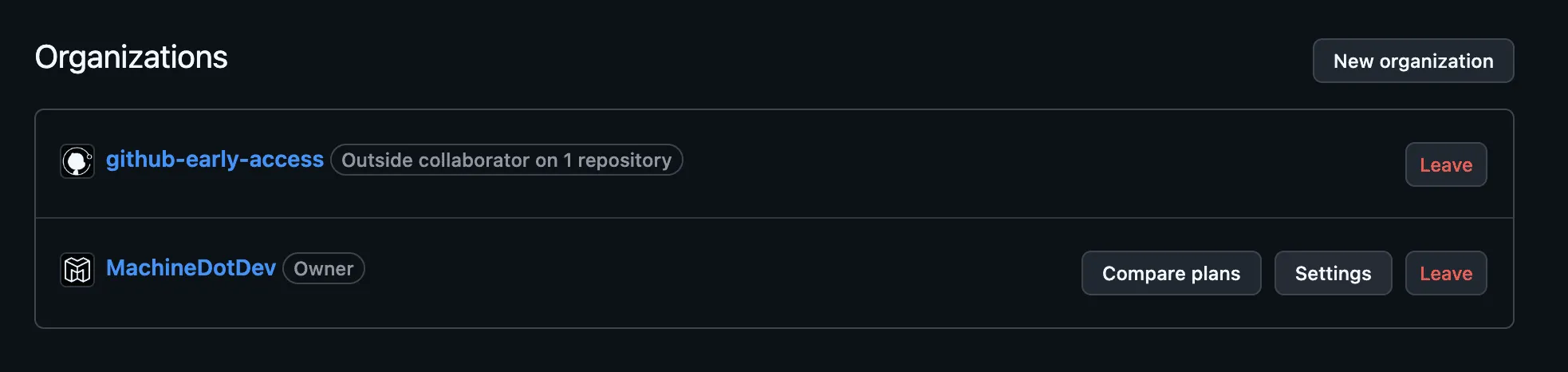
Navigate to Actions settings
- In the left sidebar, click “Actions”
- Click “General”
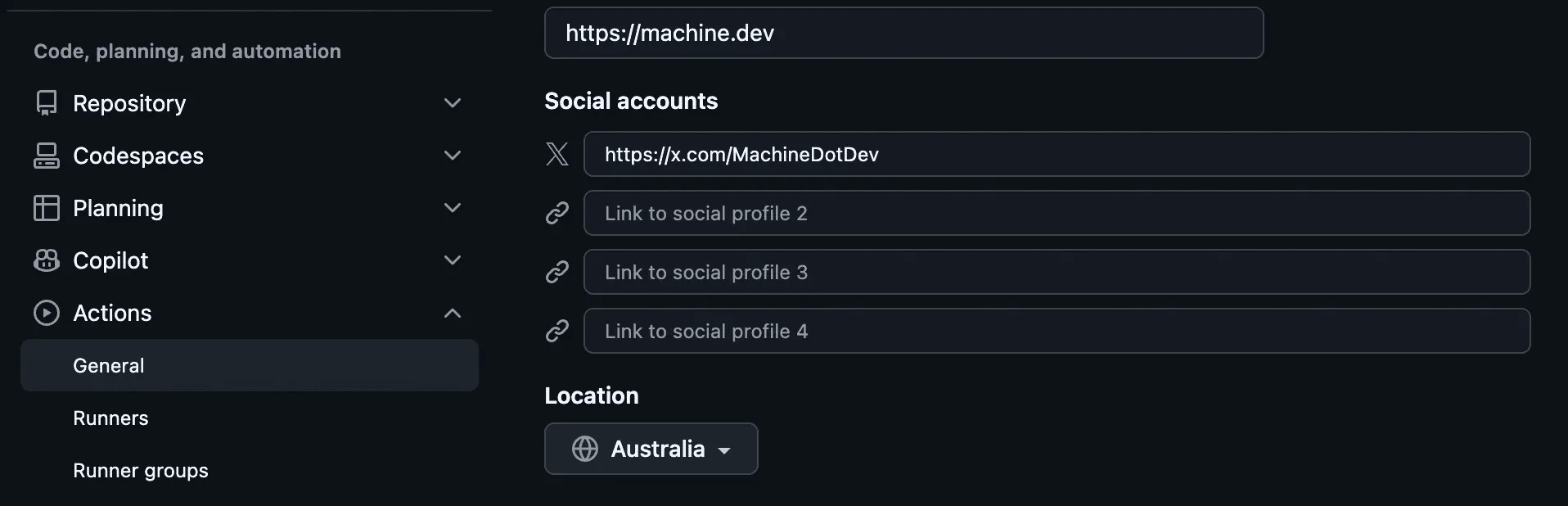
Configure runner policies
Scroll down to the “Runners” section. You’ll see a dropdown menu with three options:
| Option | Description |
|---|---|
| All repositories | Self-hosted runners can be used by any repository in your organization. Recommended for machine.dev. |
| Selected repositories | Self-hosted runners can only be used by repositories you specifically select. |
| Disabled | Self-hosted runners cannot be created at the repository level. |
Pick “All repositories” so machine.dev runners can pick up jobs from any repo in the organization.
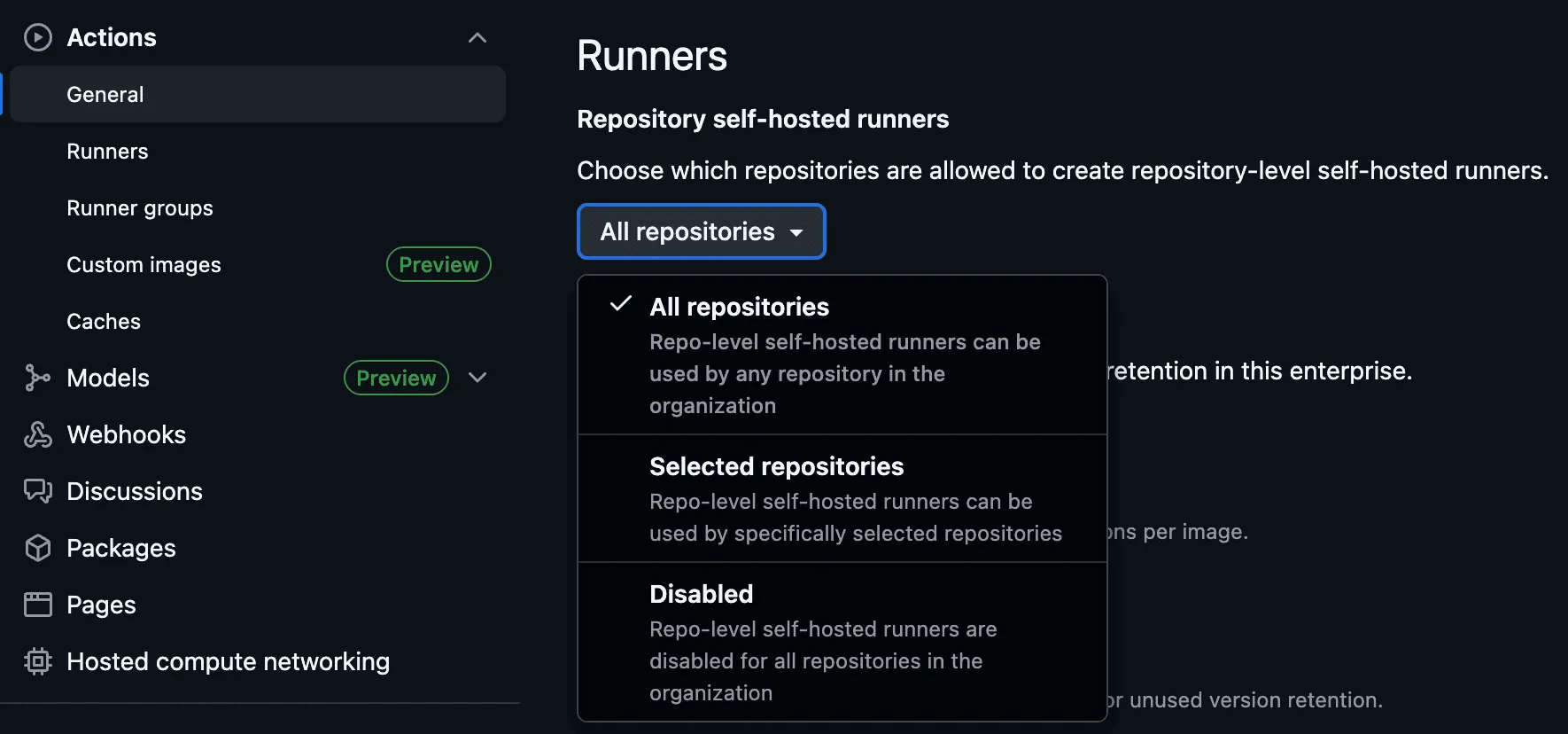
If you pick “Selected repositories”:
- Click the selection button that appears
- Check the boxes for repositories that should have access to machine.dev runners
- Click “Select repositories”
Save the change
Your changes are saved automatically when you make a selection.
Enabling self-hosted runners for public repositories
To use machine.dev runners with public repositories, you need to configure additional settings in Runner Groups.
Open runner groups
- Go to your organization’s “Settings”
- In the left sidebar, click “Actions”
- Click “Runner groups”
Or navigate directly to: https://github.com/organizations/YOUR-ORG-NAME/settings/actions/runner-groups
Configure the default runner group
- Click on the “Default” runner group (or the group you want to configure)
- Look for the “Allow public repositories” option
- Enable this setting if you want public repositories to use self-hosted runners
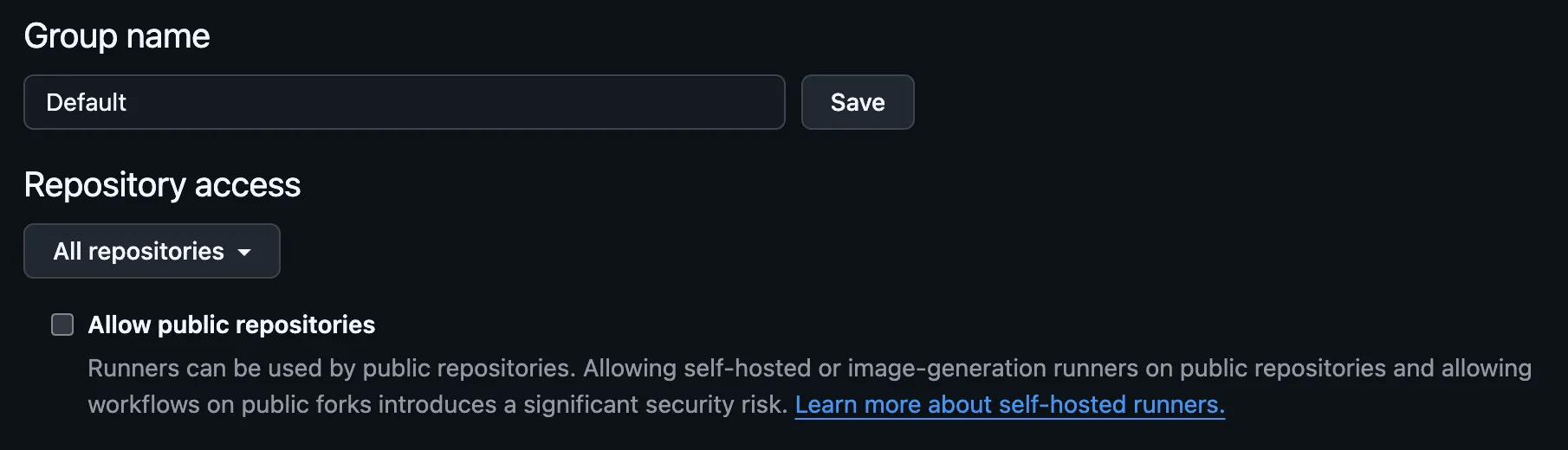
Security consideration
GitHub recommends using self-hosted runners only with private repositories. Public repositories can receive pull requests from forks, which could run untrusted code on your runners. machine.dev runners are ephemeral and isolated, which reduces the blast radius, but you should still match this to your own security posture.
Enabling self-hosted runners for personal accounts
For personal accounts (not organizations), self-hosted runners are typically enabled by default at the repository level.
Open repository settings
- Navigate to your repository on GitHub
- Click “Settings”
- In the left sidebar, click “Actions”
- Click “General”
Verify runner settings
Under the “Runners” section, make sure self-hosted runners are not disabled.
Enterprise considerations
If your organization is part of a GitHub Enterprise, enterprise-level policies may override organization settings.
- Enterprise administrators can enforce policies that restrict self-hosted runner usage
- If you cannot modify runner settings at the organization level, contact your enterprise administrator
- Enterprise-level runner groups can be shared across multiple organizations
Troubleshooting
”No runner matching the specified labels was found”
This error typically means:
- Self-hosted runners are disabled for your repository
- The repository doesn’t have access to the runner group
- For public repos: “Allow public repositories” is not enabled in runner groups
Follow the steps above to enable self-hosted runner access.
Settings are grayed out
If the runner settings are grayed out or you cannot modify them:
- Check whether enterprise-level policies are overriding your settings
- Verify you have the required permissions (organization owner or “Manage organization Actions policies”)
- Contact your GitHub Enterprise administrator if applicable
Runner shows as “Disabled”
If you previously had runners that now show as “Disabled”:
- This happens when you change the runner policy to “Disabled” or remove repository access
- Re-enable the policy or add the repository back to the allowed list
Next steps
Once you’ve enabled self-hosted runners on GitHub:
- Run the Quickstart: first job in 5 minutes
- Browse GPU runners and CPU runners
- See Workflow setup patterns